For a laptop
Try the screen in two places on the existing desk while keeping the keyboard within reach.
Solution · Lighting
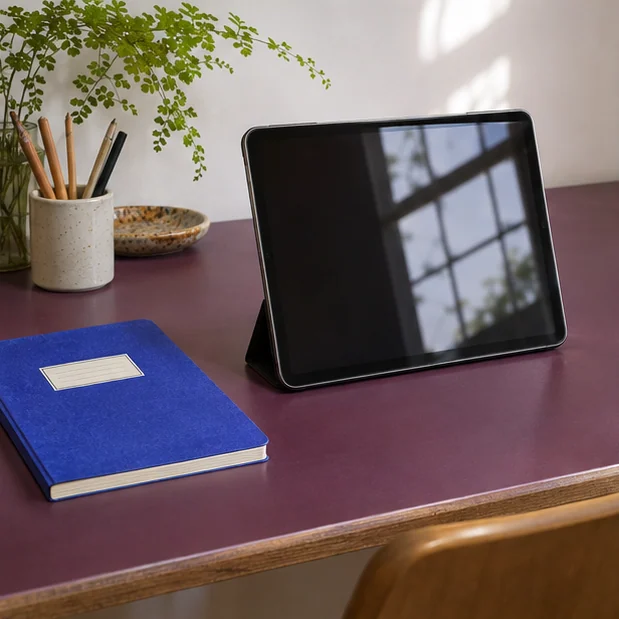
A blank screen doubles as a little mirror. Use the reflection to compare two desk angles before shifting anything heavy.
Start the stepsAt the time of day when reflections bother you, sit where you normally work. Switch the screen off and notice which window or lamp appears in the glass.
Keeping the desk in place, rotate the screen a little, then try it on the other side of the desk. Look from your usual eye level each time. Note the angle at which the bright shape leaves your working area.
Turn the display on and open the document you usually read. Keep the angle only if you can still sit squarely, reach the keyboard and see the text comfortably. Recheck at another time if the room light changes.
Try the screen in two places on the existing desk while keeping the keyboard within reach.
Change the angle of its existing stand within its normal adjustment range and check from your seat.
Switch that lamp off briefly to identify the source. Try it on the other end of the desk and compare.
 AI-generated use illustration
Borrow a dark, sleeping phone screen to compare possible positions before a monitor or desk arrives. Its reflection gives you a first comparison at each spot.
Try the free changes first Shift the screen or lamp, or compare the position with the existing blind partly drawn. Spend on a different desk or stand only after identifying a position that works.
With the screen asleep, sit where you normally work and try another angle until the reflected window moves away from the part of the screen you read.
From this discovery