For hot-desking
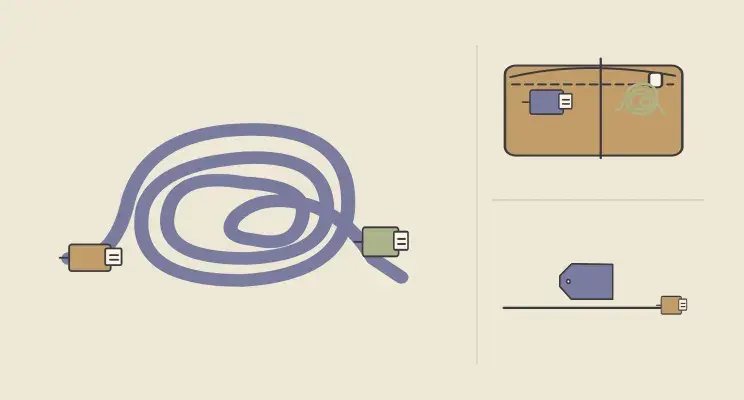
Keep the lead, plug and any adapter you need in a dedicated pouch. Before you leave, check against a short list inside.
Solution · Technology
Label both ends, separate travel leads from the desk setup and give the one you unplug a landing spot.
Start the stepsFollow each cable from its device to its connector. Label it while both ends are visible, and leave the maker’s markings readable.
Pick the cables that stay on the desk. Keep the ones that travel with their device in a separate pouch so a single trip doesn’t undo the whole arrangement.
Sit in your usual chair and connect the laptop or headphones. Check that the cable reaches without pulling, pinching in a drawer or blocking a vent.
Check the resultWith the devices in their usual places, you can pick out the right lead and unplug one device while the others stay connected.
Keep the lead, plug and any adapter you need in a dedicated pouch. Before you leave, check against a short list inside.
Label by device or function so another person can tell what a cable does. Put shared charging leads within reach of either seat.
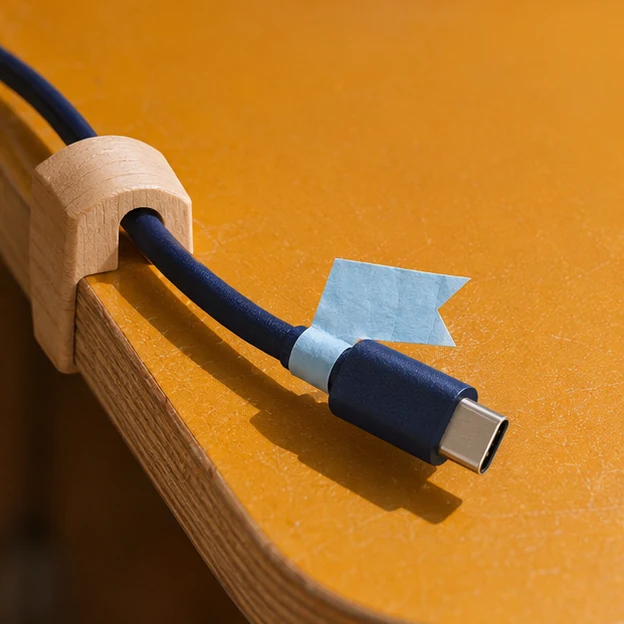
Catch the free end in a reusable loop at the desk edge. Leave slack so the plug reaches without pulling.
Use labels you have Paper tape and a pen are enough to find out which cables genuinely need a clip or holder.
Add one fixing If a plug repeatedly falls behind the desk, choose a removable clip that fits its lead and is suitable for the surface. Leave enough slack to connect it.
Trace the cable you unplug most often. Label both ends with a folded strip of paper tape and give the loose end an obvious spot at the back of the desk.
Field note
If two charging leads look identical, label the task you know each can do after trying it with your own device. “Monitor at this desk” is a more useful label the next time a screen stays blank than the colour of the plug.
Make packing up less expensive in timeWhen work shares a dining table, the note can record both the next action and which lead needs reconnecting.
From this discovery